Suit Photo Editor
Add a suit to your photo without a studio shoot. Choose a suit style, or upload a photo of the suit you want, and the AI dresses the person in it while keeping the face, pose and background.
Choose a suit for your photo
Upload a person photo and pick a suit style. The instructions are filled in for you; edit them to change colors or details.
Advanced settings: Nano Banana 2, 3 credits, 1K
Output aspect ratio
Drop person photo here
- or -
Click to Upload
Suit style
No result yet. Upload your images and click Generate to see the edited photo.
Sign-in required. This model uses 3 credits per image. Resolution depends on the model and aspect ratio. Credit and download details
Real suit edits
Generated with Nano Banana 2. The first two used a suit style from this page; the third used a suit reference photo. These are selected attempts, not a guarantee of the same result.
T-shirt and jeans → navy business suit
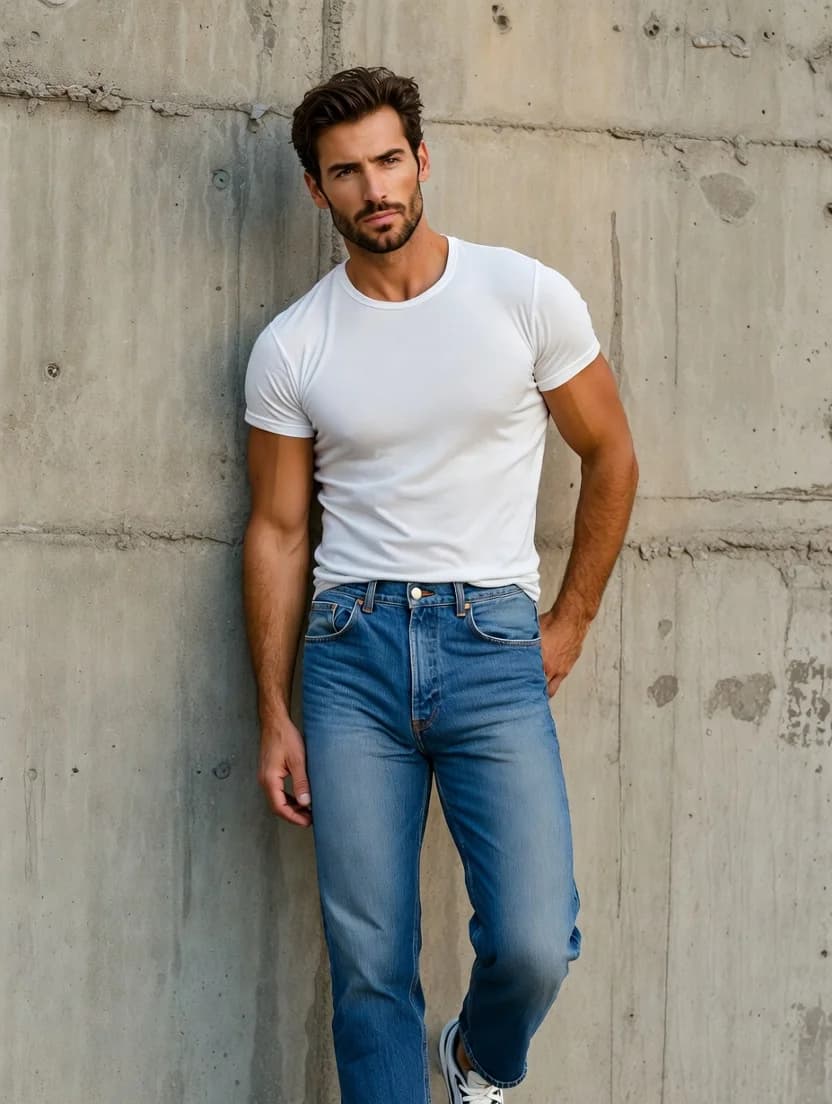
Original photo
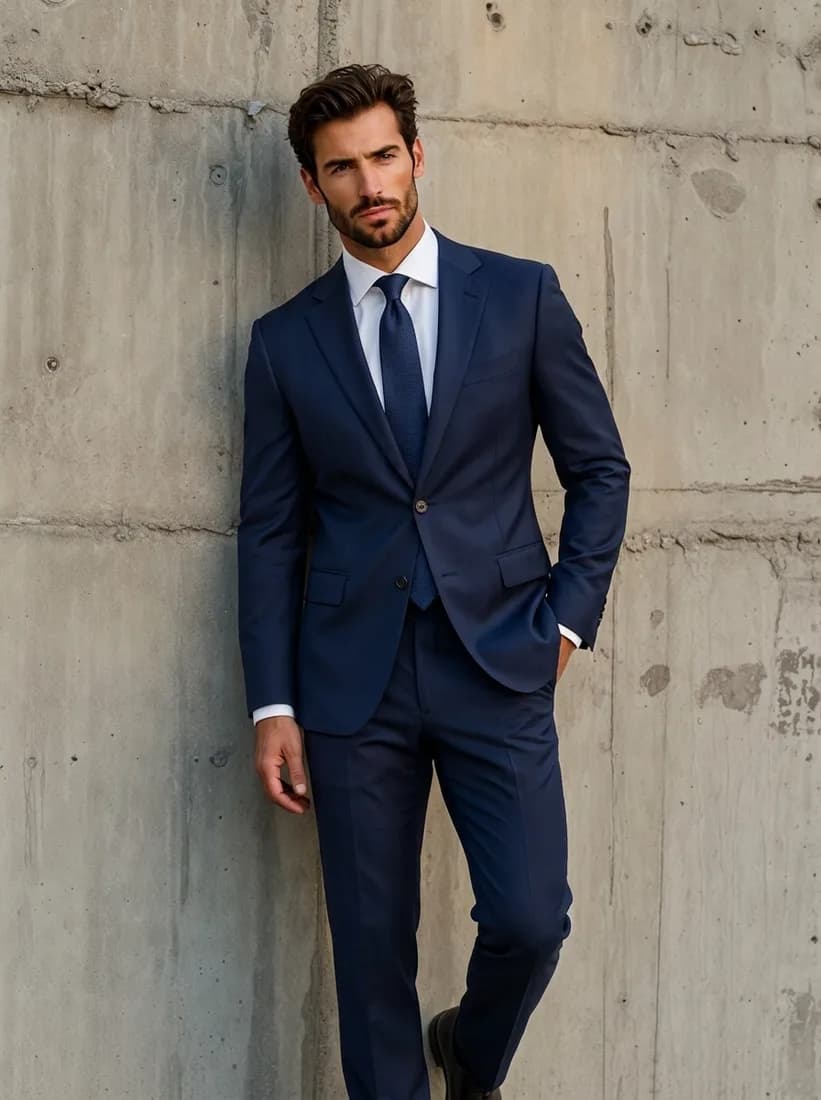
Navy business suit
Tank top and jeans → women's black pantsuit
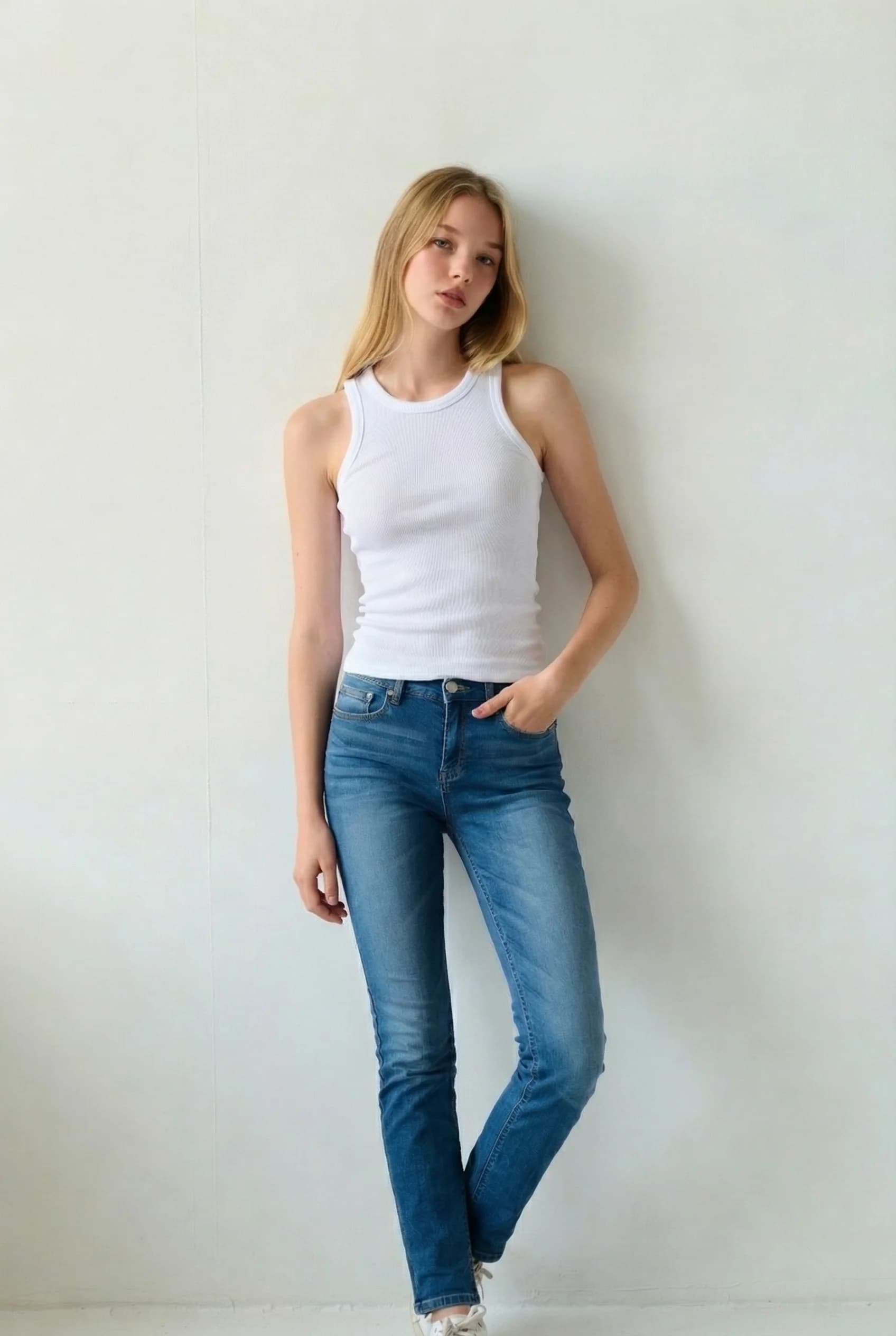
Original photo
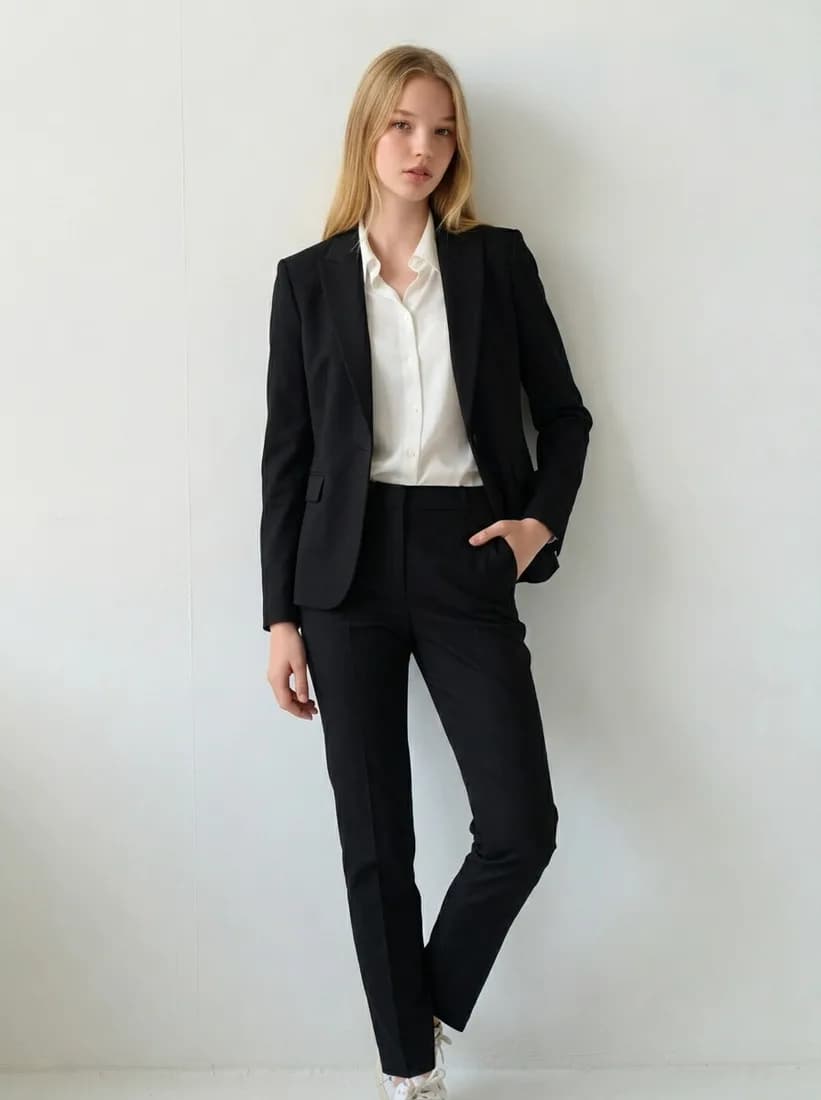
Women's black pantsuit
Suit reference photo → black suit
Original photo
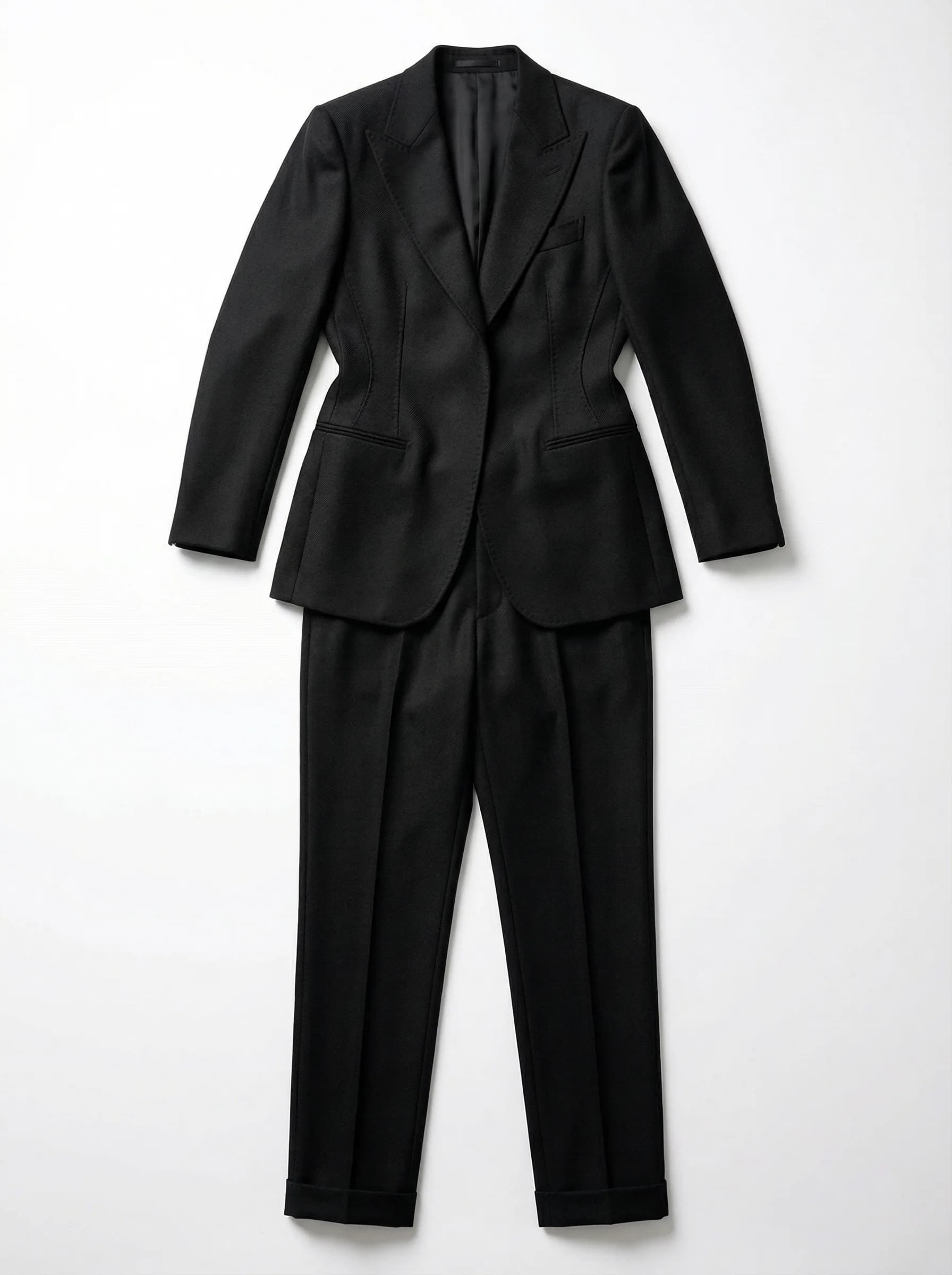
Suit reference
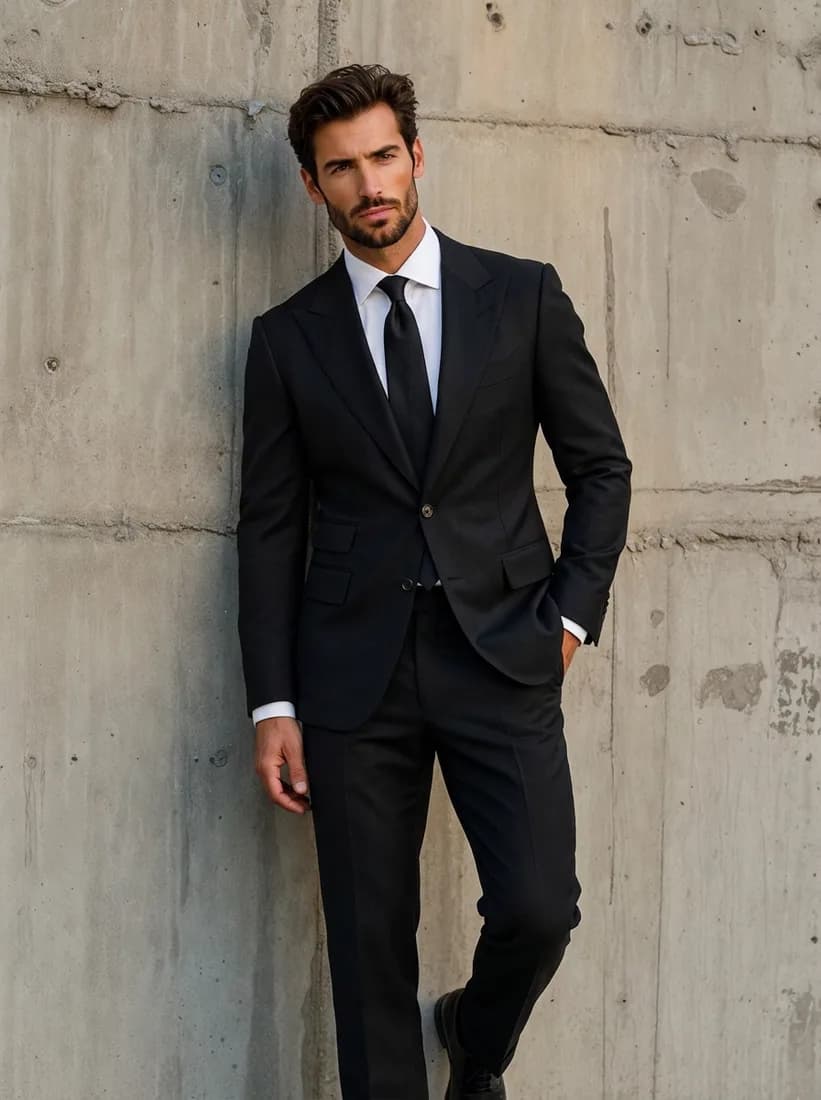
AI result
How to add a suit to a photo
Upper-body and full-body photos both work. The clearer the body outline, the better the suit sits.
Upload a person photo
Use one person facing the camera in good light, with the shoulders and torso visible. Use a photo you have permission to edit.
Pick a style or upload a suit
Choose a preset such as a navy business suit or a tuxedo, or switch to Upload a suit photo to use a specific suit.
Generate and check
Sign in, check the credit cost and generate. Look at the collar, tie, hands and face before you download.
Credits, login and downloads
Know what is included before you upload.
- Credit balance
- Generation requires credits. Sign in to check your balance and purchase a credit plan if needed.
- Account required
- You can explore examples before signing in. An account and enough credits are required to generate your own image.
- Watermark
- AI Clothes Changer does not add a visible watermark when downloading the returned image. Provider-generated marks, if present, are not removed.
- Output resolution
- Nano Banana 2: 3 credits, 1K output; Nano Banana Pro: 8 credits, 2K output; GPT Image 2.5 Flare: 2 credits, 1K output; Flux 2 Pro: 2 credits, 1K output; Seedream 5.0 Pro: 8 credits, 2K output. Actual pixel dimensions depend on aspect ratio. This is a visual preview, not a size or fit measurement.
- Credit usage
- Generation costs depend on the selected model. Each new generation uses credits. A paid plan adds credits; check Pricing for its expiry and usage terms.
Suit photo editor questions
Can I use this for a LinkedIn or résumé photo?
You can create a professional-looking image for your own profile. Review the face and hands closely, and remember the result is an AI-edited image rather than a photo of you in that suit.
Can I use the result as a passport, visa or ID photo?
No. Official photo rules usually prohibit digitally altered images, and this tool does not check any official photo requirements.
Does it work for women’s suits?
Yes. Choose a women’s pantsuit or skirt suit preset, or upload a photo of the suit you want.
Will my face and pose stay the same?
The AI is told to keep them, and most of our tests did. Poses, hands and framing can still shift, as one of the examples above shows.
Can I use a specific suit from a shop?
Switch to Upload a suit photo and add a clear image of the suit. Cut and color usually follow the reference, but buttons, lapels and fabric texture may differ. The result does not show how the suit would fit in real life.
What does it cost?
An account and enough credits are required. The cost per image is shown beside the Generate button and depends on the selected model.
Need a different outfit?
Try any clothing photo, or change only the color of what you are wearing.