Clothes Color Changer
Change the color of one garment in your photo. Pick the garment and a new color; the AI is told to keep the cut, folds and fabric texture and to leave the rest of the photo alone. Review each result, because small details can still change.
Pick a garment and a new color
Upload a person photo, then choose the garment and the new color. The instructions are filled in for you; edit them if the garment needs a more precise name.
Advanced settings: Nano Banana 2, 3 credits, 1K
Output aspect ratio
Drop person photo here
- or -
Click to Upload
1. Garment to recolor
2. New color
No result yet. Upload your images and click Generate to see the edited photo.
Sign-in required. This model uses 3 credits per image. Resolution depends on the model and aspect ratio. Credit and download details
Real clothing color changes
Generated with Nano Banana 2 from the original photo and the garment-and-color instructions this tool fills in. These are selected attempts, not a guarantee of the same result. Check seams, prints and skin edges in your own images.
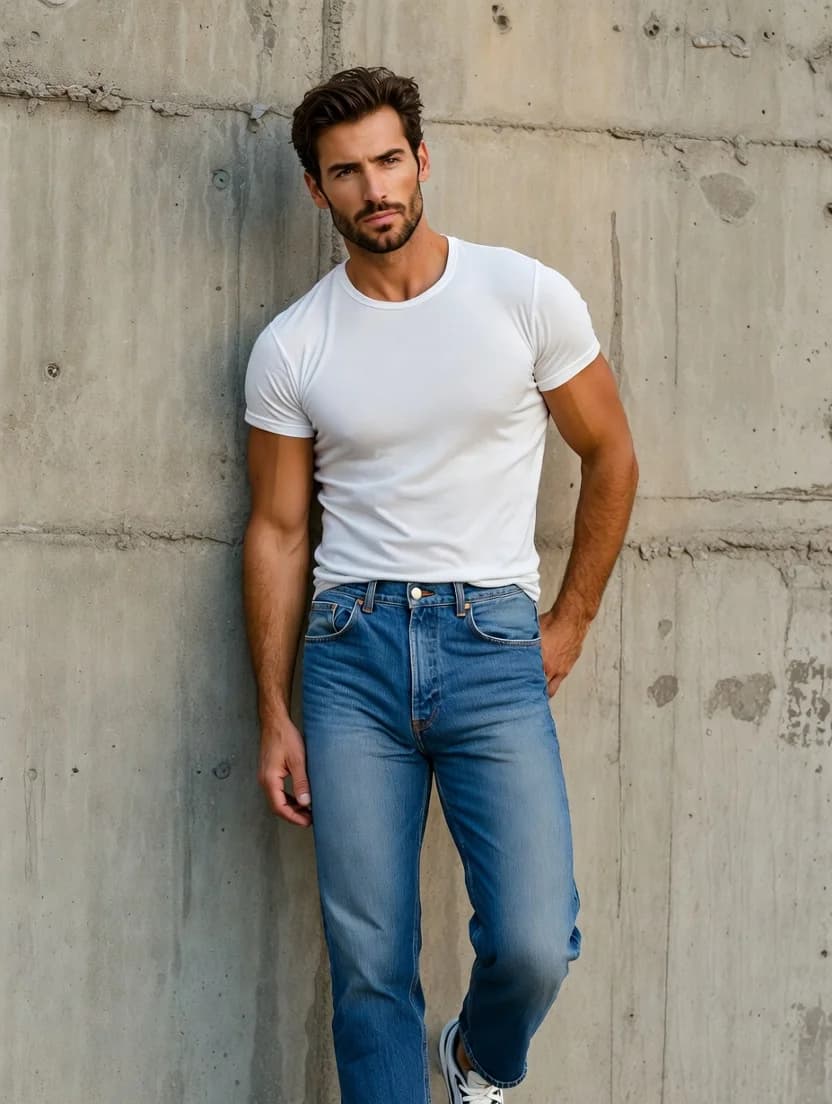
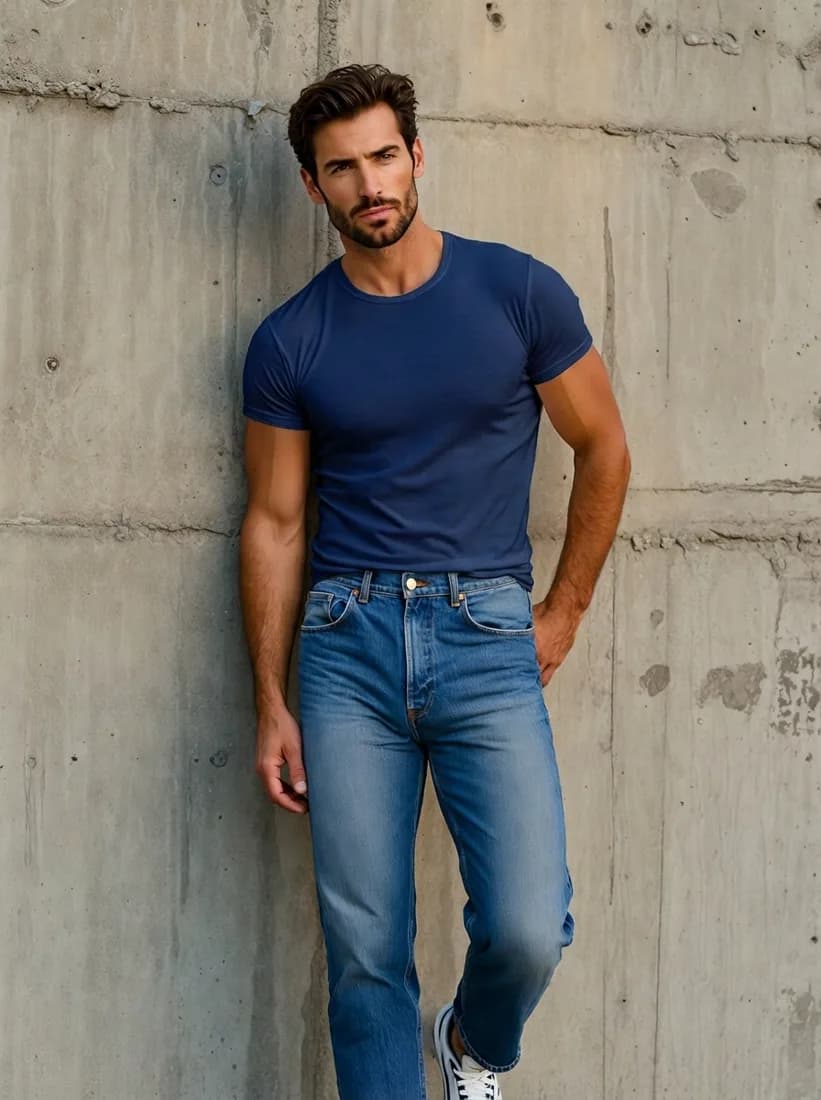
White T-shirt → navy blue
Original photo
Navy blue T-shirt
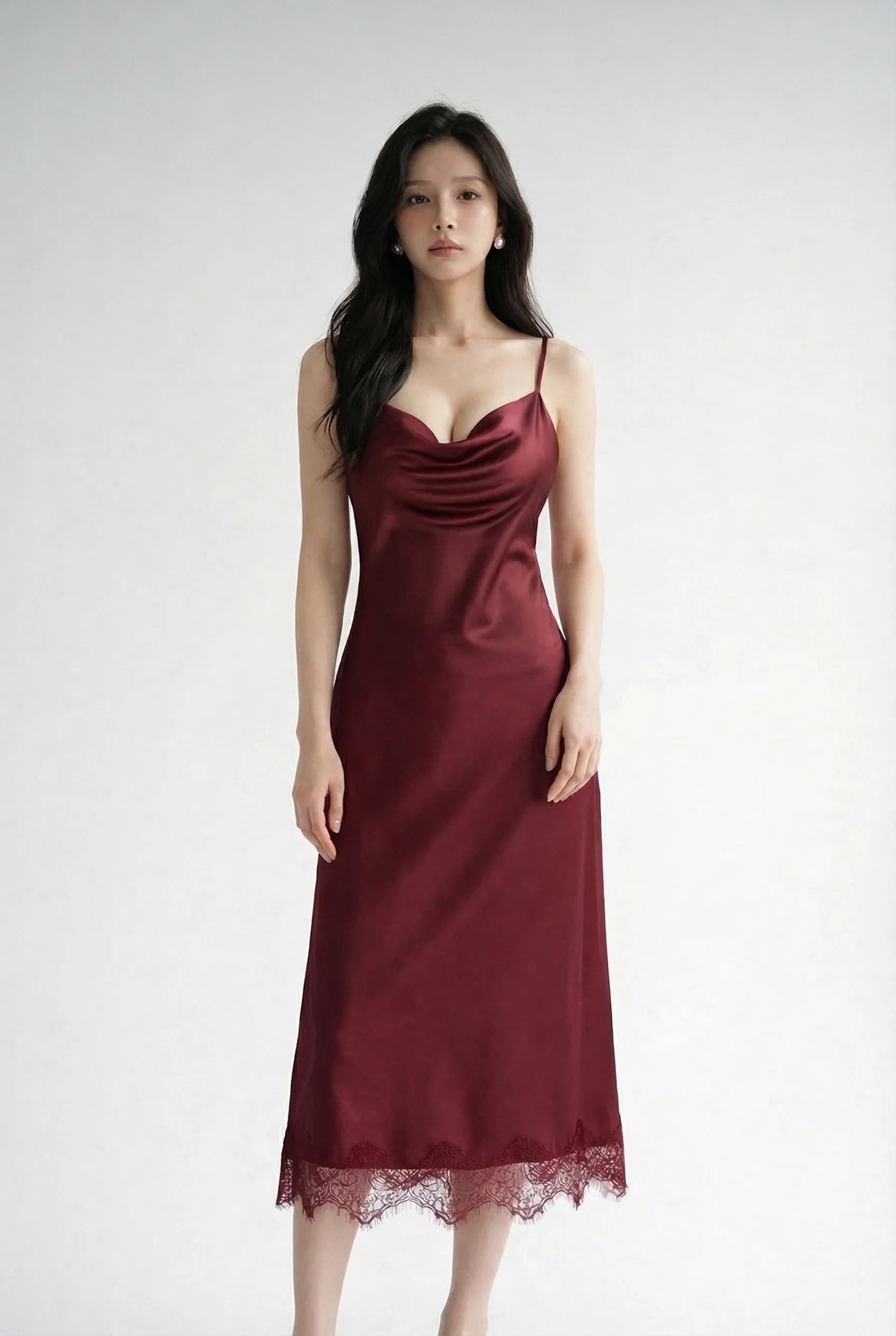
Burgundy silk slip dress → emerald green
Original photo
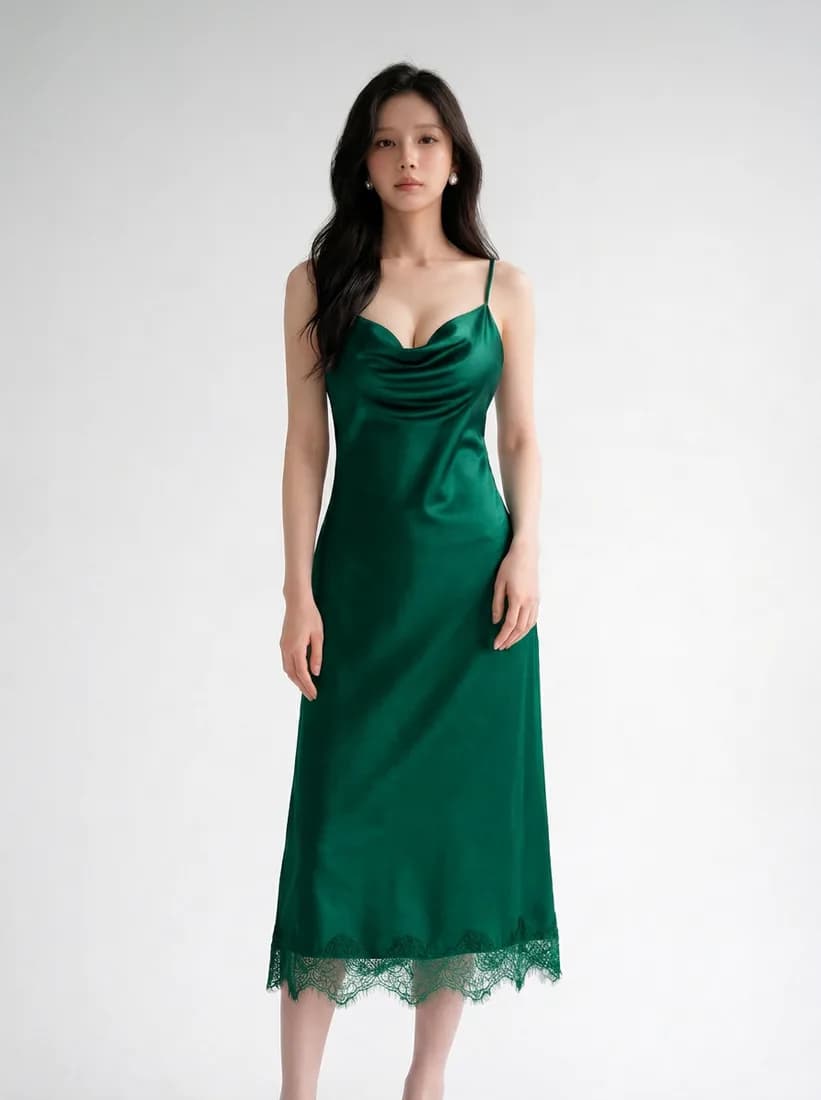
Emerald green dress
Beige wool coat → camel brown
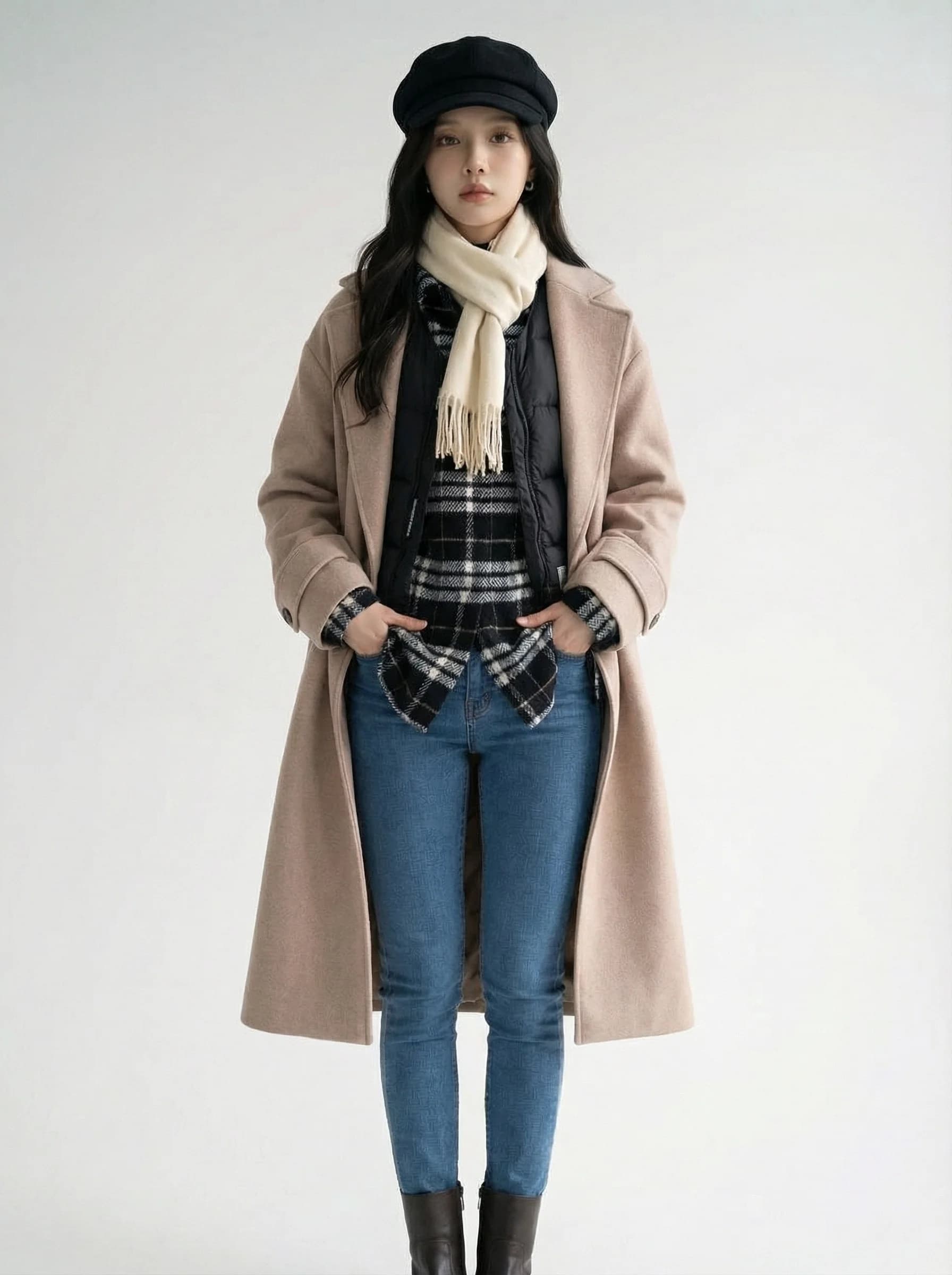
Original photo
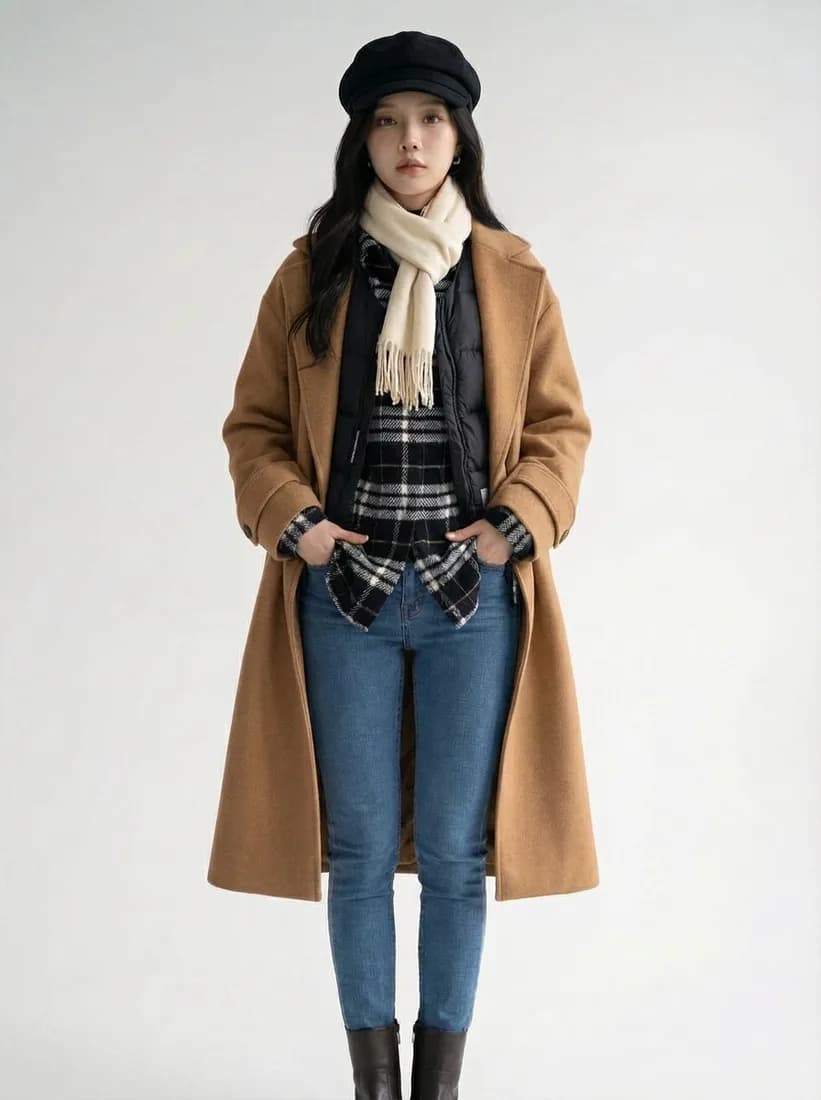
Camel brown coat
Black pinafore skirt → red
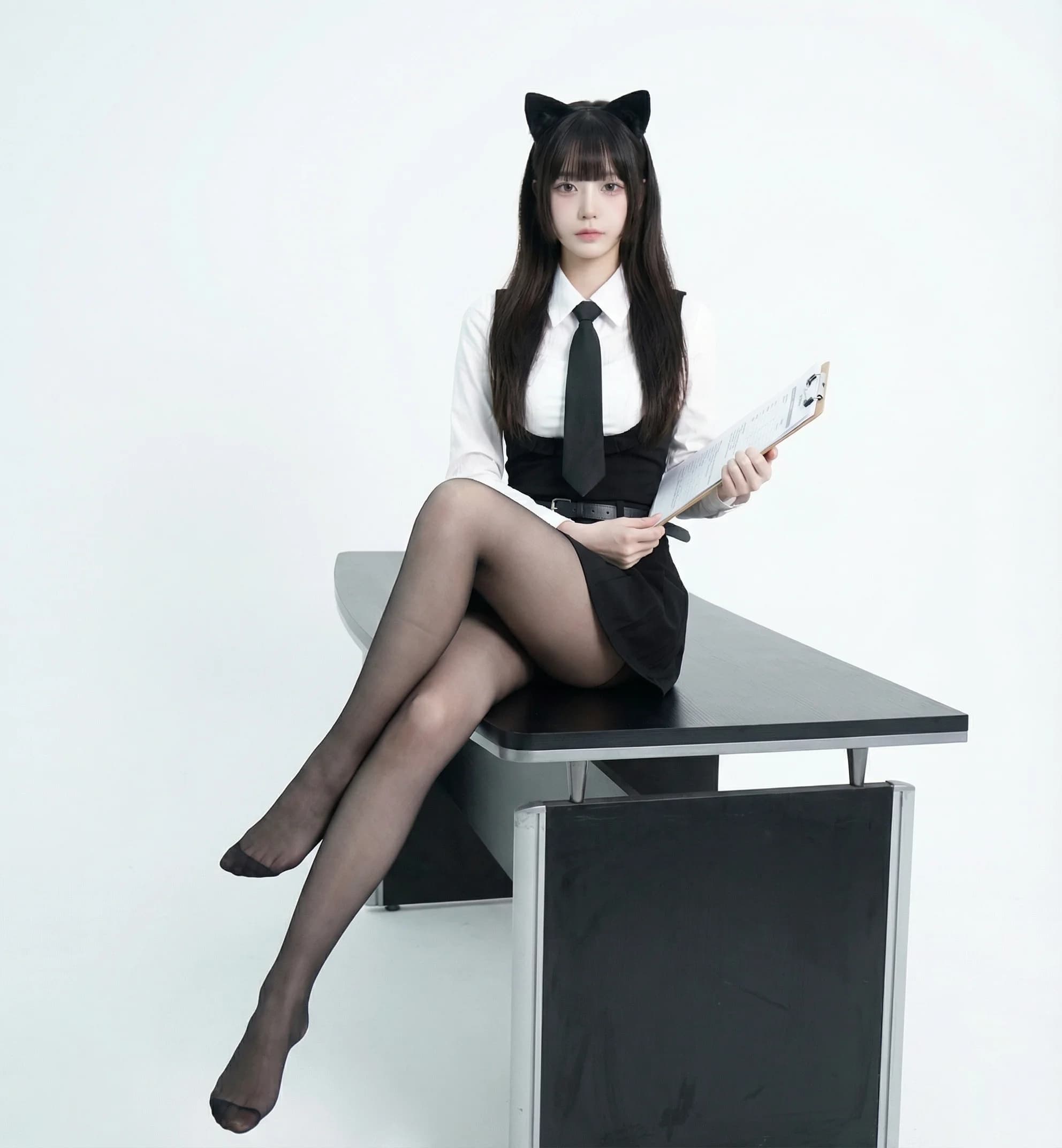
Original photo

Red pinafore
How to change the color of clothes in a photo
Recoloring works best when the garment is clearly visible and has one main color.
Upload a clear photo
Use a photo where the garment is in focus and not covered by hands, bags or hair. Use a photo you have permission to edit.
Choose garment and color
Name the garment as it appears in the photo. If two items share a name, edit the instructions, for example "the open jacket, not the shirt underneath".
Generate and compare
Sign in, check the credit cost and generate. Compare the result with the original for fit, pattern and background changes before downloading.
Credits, login and downloads
Know what is included before you upload.
- Credit balance
- Generation requires credits. Sign in to check your balance and purchase a credit plan if needed.
- Account required
- You can explore examples before signing in. An account and enough credits are required to generate your own image.
- Watermark
- AI Clothes Changer does not add a visible watermark when downloading the returned image. Provider-generated marks, if present, are not removed.
- Output resolution
- Nano Banana 2: 3 credits, 1K output; Nano Banana Pro: 8 credits, 2K output; GPT Image 2.5 Flare: 2 credits, 1K output; Flux 2 Pro: 2 credits, 1K output; Seedream 5.0 Pro: 8 credits, 2K output. Actual pixel dimensions depend on aspect ratio. This is a visual preview, not a size or fit measurement.
- Credit usage
- Generation costs depend on the selected model. Each new generation uses credits. A paid plan adds credits; check Pricing for its expiry and usage terms.
Clothes color changer questions
Will the clothing style change, or only the color?
The instructions ask the AI to change only the color and keep the cut, fabric texture, folds and fit. In our tests the style stayed the same, but fit and small details can shift, so compare the result with your original.
Can I change the color of only one item?
Yes. Pick one garment per generation. If the item is part of a single piece, such as a pinafore or jumpsuit, the whole piece usually changes together.
Are prints and patterns kept?
The AI is told to keep patterns, and simple textures usually survive. Logos, small text and complex prints can be redrawn or lost. Zoom in before using the image.
Can I enter an exact color code?
You can edit the instructions and describe the color in words, such as "dusty rose" or "deep forest green". Exact color codes are not matched precisely, and the lighting in your photo affects how the color looks.
Can I change shoes, bags or hair color here?
This page is set up for clothing. You can edit the instructions to name another item, but results for shoes, bags and hair have not been tested on this page.
What does a color change cost?
An account and enough credits are required. The cost per image is shown beside the Generate button and depends on the selected model.
Want a different garment, not just a new color?
Replace the whole outfit with a clothing photo or a text description.